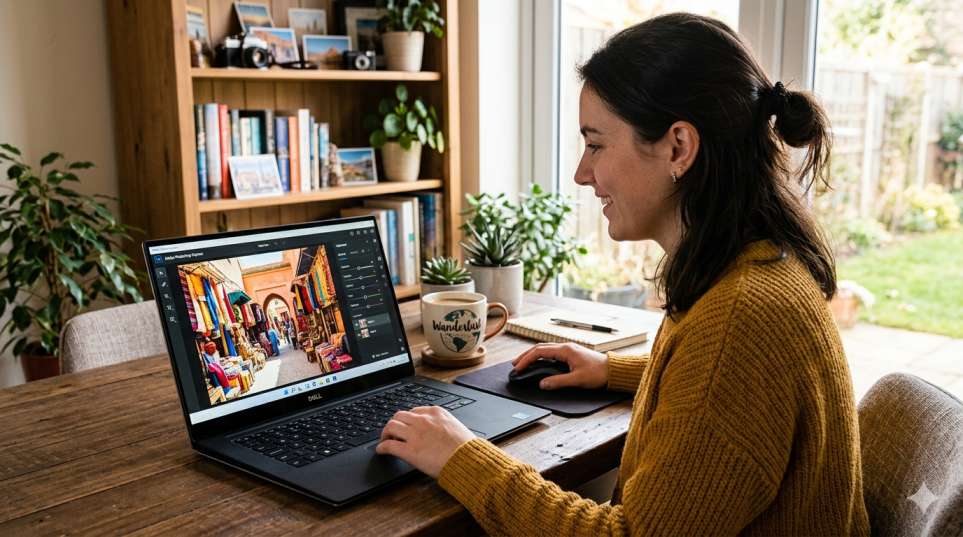
Adobe Photoshop Express photo editing lets you fix, enhance, and transform photos in minutes no design skills needed. Adobe built this app for regular people, not just professionals. You can download it free on Android, iPhone, or Windows PC. It handles everything from cropping and brightness to background removal and portrait touch-ups.
The Photoshop editor inside Express loads fast, runs smooth, and saves your edited photos in full quality. Whether you shoot on your phone or import files from your PC, this tool covers it all without costing you a cent for the core features.
Adobe Photoshop Express Photo Editing What Makes It Worth Your Time
I’ve tried a lot of free photo editors. Most of them either look outdated, crash constantly, or hide the useful tools behind a paywall. Adobe Photoshop Express is different. It actually works the way a photo editor should.
The app came out of Adobe’s effort to bring Photoshop power to everyday users. Not everyone needs masking layers and frequency separation. Sometimes you just want your photo to look good before you share it. That’s exactly what this app is built for.
It runs on phones, tablets, and Windows PCs. The same account works across all your devices, so nothing gets lost between sessions.
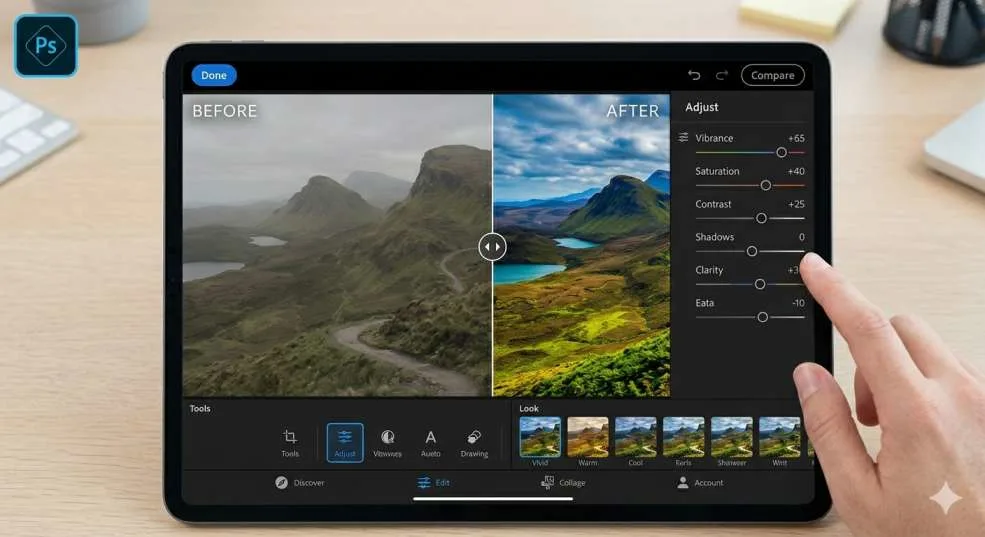
Adobe Photoshop Express Tools That Actually Get Used
Nobody wants a feature list that sounds impressive but never helps in real life. Here’s what people actually use inside this app on a daily basis:
- Auto Fix: Taps once, corrects light, color, and contrast all at once
- Healing Brush: Wipes out pimples, dust spots, or background distractions
- Background Removal: Cuts out backgrounds cleanly without any manual tracing
- Noise Reduction: Clears up grainy shots taken in low light
- Crop and Straighten: Fixes tilted horizons and bad compositions quickly
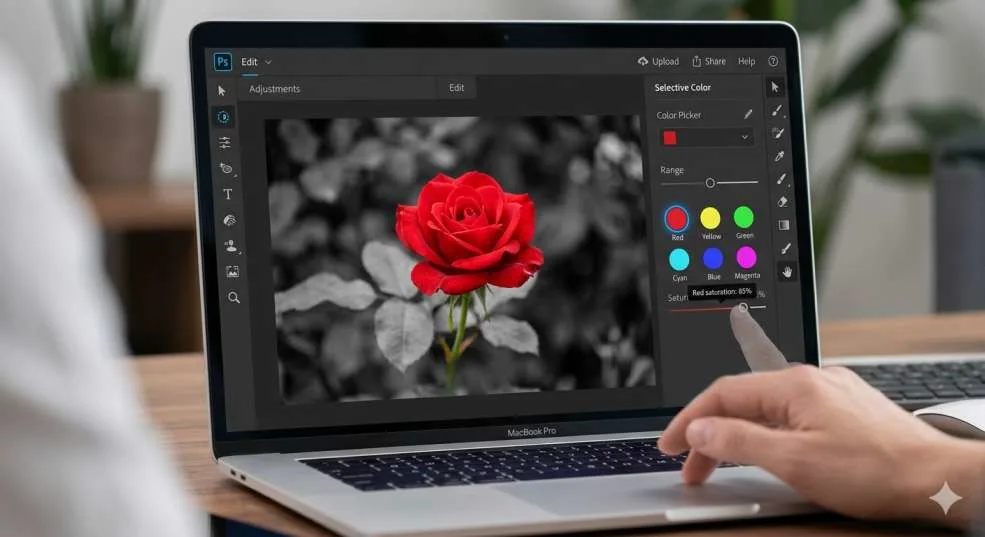
- Selective Color: Pops one color while keeping everything else muted
- Looks (Filters): Over 45 ready-made styles that take seconds to apply
- Text and Stickers: Adds captions and design elements for social media posts
None of these tools require a tutorial. You open a photo and start editing. The learning curve is almost flat.
What impresses me most about Adobe Photoshop Express is how it removes the technical barrier. People who’ve never edited a photo in their life pick it up within minutes. That kind of design is harder to pull off than it looks. Rina Castillo, UX Researcher & Photography Educator
You may also read :- Learn Photoshop Step by Step: Full Tutorial with Pictures
Adobe Photoshop Express Free Download: How to Get It on Any Device
Getting Adobe Photoshop Express photo editing free download takes less than five minutes on any device. Adobe made the process straightforward. No payment needed for the core tools. Just install, sign in, and go.
Adobe Photoshop Express Photo Editing Free Download for PC Step by Step
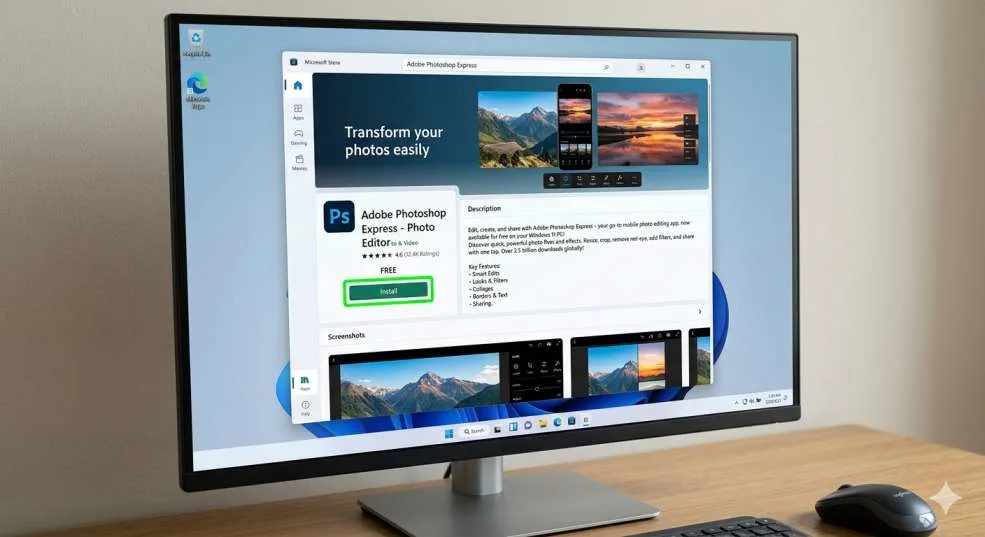
If you want Adobe Photoshop Express photo editing free download for PC, the Microsoft Store is the fastest route:
- Open the Microsoft Store on your Windows computer
- Search for “Adobe Photoshop Express” in the search bar
- Click Get or Install no credit card required
- Sign in with a free Adobe account or create one quickly
- Open the app and import your first photo to start editing
The app takes up very little storage space. It installs without asking you to download extra software or agree to hidden subscriptions. The main editing tools unlock right after sign-in.
Adobe Photoshop Express Download for PC Windows 11 Does It Actually Run Well?
Short answer: yes, and noticeably better than older versions. Adobe Photoshop Express download for PC Windows 11 takes full advantage of the newer operating system. High-resolution screens render crisply. The app opens fast. Touch input works if your laptop or tablet supports it.
Adobe regularly pushes updates through the Microsoft Store, so Windows 11 users always get the freshest version without having to manually update anything.
What Your PC Needs to Run It Smoothly
- Operating System: Windows 10 or Windows 11 (64-bit)
- Memory: 4 GB RAM minimum, 8 GB if you edit large RAW photos
- Storage: Around 2 GB free space for the app and its assets
- Internet: Needed for sign-in and syncing, not for editing itself
- Adobe Account: Free to create at adobe.com, gives you full basic access
Any Windows laptop bought in the last four or five years meets these specs without issue. Even basic machines handle this app comfortably.
How to Edit Photos in Adobe Photoshop Express: A Walkthrough That Skips the Fluff
Every guide online tells you to “open the app and explore.” That’s not very helpful. Here’s an actual workflow that gets results.
Real Editing Workflow Using the Photoshop Editor on PC or Phone
The Photoshop editor inside Adobe Express shows all tools along the bottom of the screen on mobile, or in a collapsible sidebar on PC. Here’s how to go from a raw photo to a finished edit:
- Tap Photos to import from your camera roll, files, or cloud storage
- Hit Auto Fix first it corrects 80% of common issues in one tap
- Fine-tune exposure, contrast, and warmth using the sliders manually
- Switch to Crop & Straighten to fix the framing and remove dead space
- Open Looks and try a few filters you can adjust the intensity, not just pick one
- Use Heal to remove any spots, shadows, or background objects you don’t want
- Save to Camera Roll or share directly to Instagram, WhatsApp, or email
That whole process takes under three minutes on a decent photo. For portraits or product shots that need more work, maybe five. Either way, it’s faster than any desktop workflow.
Adobe Photoshop Express hits the sweet spot between simplicity and control. For content creators who post daily, it cuts editing time in half without sacrificing quality. Daniel Mwangi, Visual Content Strategist & Social Media Coach
Adobe Photoshop Express vs the Full Photoshop: Honest Comparison
People often ask whether Express can replace the full version. The honest answer depends on what you’re doing.
Adobe Photoshop Express Photo Editing vs Full Photoshop — What You Gain and Lose
|
Feature |
Express (Free) |
Full Photoshop |
|
Cost |
100% free (core tools) |
Paid monthly subscription |
|
Where it runs |
PC, Android, iPhone, iPad |
Mac and Windows PC only |
|
Learning time |
Under 10 minutes |
Weeks for full proficiency |
|
Background removal |
One tap, automatic |
Manual with precision tools |
|
Layers & masks |
Basic only |
Full professional suite |
|
Photo filters |
45+ ready-made looks |
Unlimited custom options |
|
Social media sizing |
Built-in platform presets |
Manual setup required |
|
Best for |
Everyday users, creators |
Commercial design, retouching |
For anyone posting on Instagram, editing product shots, or cleaning up travel photos, Express handles everything you need. Full Photoshop only becomes necessary when you’re doing professional retouching, creating layered graphic designs, or working on print materials.
Editing Tips That Make a Real Difference in Adobe Photoshop Express
These aren’t basic tips. Most people never learn these, and they change how good your photos look with Adobe Photoshop Express photo editing daily.
Intermediate Tricks for Better Photos With the Free Photoshop Editor
- Lower Clarity, not raise it Reducing clarity gives portraits a softer, more flattering look that over-sharpening destroys
- Dehaze beats boosting contrast For foggy, misty, or hazy shots, Dehaze brings out detail that contrast sliders miss completely
- Edit in a fixed order Exposure first, white balance second, color third, sharpening last. Doing it backwards creates problems you can’t fix
- Healing tool on shadows, not just spotsDark under-eye circles respond well to the healing brush, not just skin blemishes
- Save a custom Look Once your edit style feels right, save it as a personal preset and use it across every photo you post for a consistent brand look
- Selective Color for drama Desaturate everything except one colour for striking visual impact on social media thumbnails
Who Gets the Most Out of Adobe Photoshop Express?
Adobe Photoshop Express works for a wide range of people — not just photographers or designers. Here’s who benefits most from using it regularly:
- Students: Clean up project images and presentation graphics without buying expensive software
- Instagram and TikTok creators: Batch-edit content and keep a consistent visual brand across every post
- Small business owners: Product photos look professional without hiring a photographer or designer
- Travel and lifestyle bloggers : Edit photos on the road, straight from a phone or hotel room laptop
- Teachers and trainers : Create sharp visual content for slides and handouts
- Parents: Print-ready family photos without overpaying for editing software
The common thread is that all these people want good results without spending time learning complicated tools. Express gives them exactly that.
Is Adobe Photoshop Express Actually Free? No Tricks, No Hidden Charges
Yes, Adobe Photoshop Express genuinely gives you useful tools without asking for your credit card. The free tier covers the majority of what most people ever need.
Free vs Paid Features in the Adobe Photoshop Express Editing App
Here’s exactly what you get for free and what sits behind the premium wall:
Free for everyone:
- Crop, rotate, flip
- Brightness, contrast, saturation, shadows, highlights
- One-tap Auto Fix
- 45+ filter presets with adjustable intensity
- Red-eye removal
- Basic noise reduction
- Collage layouts
- Text and sticker overlays
Premium only (subscription required):
- Advanced spot healing and blemish repair
- Background removal with edge refinement
- Selective color and tonal adjustments
- Premium filter packs
- Export at sizes above the free limit
Honestly? Most everyday users never hit the paywall. Social media content, family photos, product shots — the free tools handle all of it without running dry.
Adobe Photoshop Express and Social Media: Why Content Creators Stick With It
Social media moves fast. You can’t spend 45 minutes editing one photo when you have eight more queued up. That’s the main reason creators keep coming back to Adobe Photoshop Express photo editing it keeps pace with a real content schedule.
The app includes built-in resize options for every major platform. Instagram feed, stories, Reels thumbnails, YouTube banners, Twitter headers tap the platform and the canvas adjusts instantly. No manual number-punching.
Another thing creators love: once you nail your editing style, you can save it as a preset and apply it with one tap across every photo you shoot. That consistency is what makes a feed look intentional rather than random.
Final Thought: Should You Use Adobe Photoshop Express?
If you want fast, clean edits without a subscription fee or a steep learning curve, Adobe Photoshop Express photo editing is one of the best tools available right now. It runs on every major device, costs nothing for the features most people actually use, and produces results that look professional without requiring professional knowledge.
Getting Adobe Photoshop Express photo editing free download for PC takes less than two minutes from the Microsoft Store. Whether you shoot on your phone, edit at your desk, or share straight to social media — this Photoshop editor fits into any workflow without making your life harder.
Give Adobe Photoshop Express a proper try. Load up a photo you’ve been meaning to edit, run through the workflow, and see the difference for yourself. Most people are genuinely surprised how good their photos can look with a few thoughtful adjustments.
Common Questions About Adobe Photoshop Express Answered
Q: Is Adobe Photoshop Express photo editing completely free to use?
A: Yes, the core tools are free. You need a free Adobe account to sign in, but no payment is required. Advanced features like background removal and premium filter packs require a paid Creative Cloud plan, but most users never need those extras.
Q: How do I get Adobe Photoshop Express photo editing free download for PC?
A: Go to the Microsoft Store on your Windows PC, search for Adobe Photoshop Express, and click Install. The whole process takes about two minutes. You’ll also find the download link at adobe.com if you prefer that route.
Q: Does Adobe Photoshop Express download for PC Windows 11 work without issues?
A: Yes, it runs very well on Windows 11. Adobe optimized it for the newer OS — high-DPI screens look sharp, the app loads fast, and touch input works on compatible devices. Updates come automatically through the Microsoft Store.
Q: What’s the real difference between Adobe Photoshop Express and the full Photoshop?
A: Express is a streamlined, mobile-first editor built for quick photo fixes and social media content. Full Photoshop is a professional-grade tool with advanced layers, masking, blending modes, and unlimited customization. For everyday editing, Express covers everything you need. For commercial print work or complex retouching, you’d want the full version.
Q: Can I use Adobe Photoshop Express on both my phone and PC with the same account?
A: Yes. Your Adobe account syncs across all devices. Photos you edit or save on your phone appear in the app on your PC if you use Adobe Creative Cloud storage. You can start an edit on one device and finish it on another without losing anything.