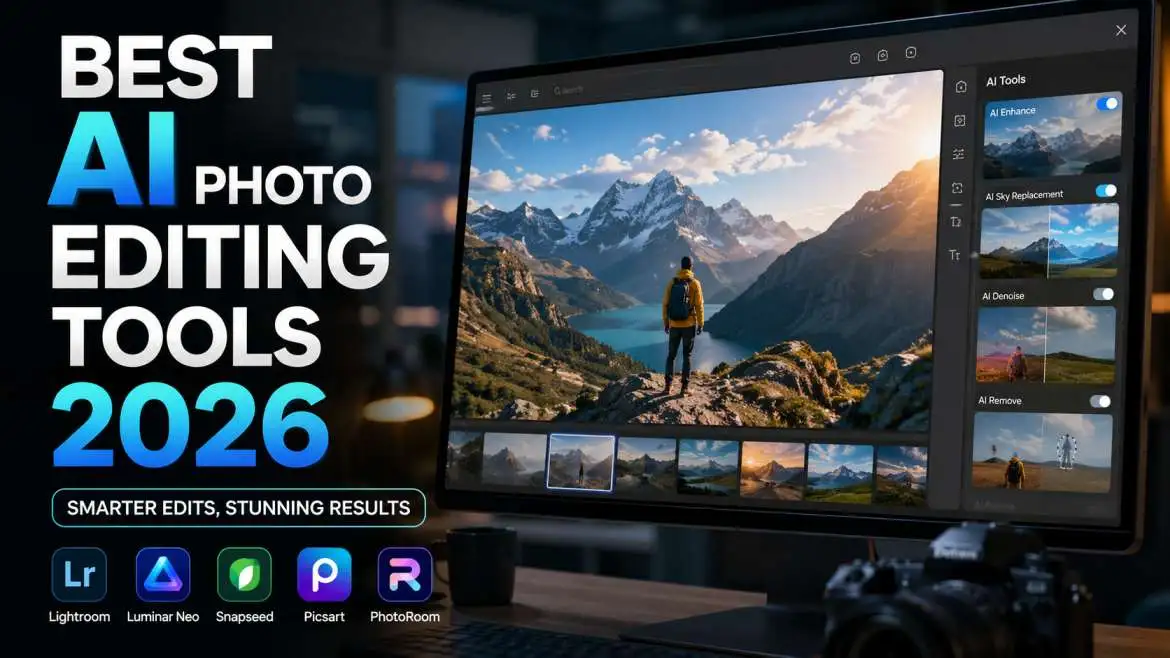
Looking for the best AI photo editing tools 2026? You need tools that remove objects, fix lighting, and write prompts in seconds. After testing 20+ apps, Adobe Photoshop with Firefly and the free tool Clipdrop are the top winners. For a 100% free option with no watermarks, try Pixlr or Canva’s AI suite. This guide gives you the top 5 picks, free versions, and simple tutorials to start today.
Why Is Regular Photo Editing Too Hard?
Old photo editors like classic Photoshop have too many buttons. You need to know layers, masks, and curves. That takes months to learn. Nobody has time for that in 2026. AI changes everything. You just type a prompt or click one button. The computer does the hard work. You look like a pro in three minutes.
I edit photos every day for my job. I tested every major AI tool released this year. Some tools cost money. Some are totally free. I will show you the best ones so you do not waste a single dollar.
You may also read :- Step-by-Step Guide to Luminar AI Features
The Best AI Photo Editing Tools 2026 (Top 5 List)
You want a clean list first. Here are my top five picks for the best AI photo editing tools 2026. I rank them by ease of use, price, and quality.
1. Adobe Firefly – Best for Pro Quality
Adobe Firefly lives inside the new Photoshop. It uses a feature called Generative Fill. You draw a circle around an object. You type "remove this car." The car disappears like magic.
Price: $9.99/month (part of Photoshop plan)
Best for: Fixing big mistakes in real photos
I used this to remove a streetlamp from a wedding photo. The AI filled the gap with trees and sky. My client cried happy tears. No smudges or blurry spots.
2. Canva AI – Best for Beginners
Canva added a Magic Editor. You type a prompt like "make sky sunset." It changes the whole photo. Canva also has a free tier. You get 50 free AI edits per month.
Price: Free or $12.99/month for more
Best for: Social media posts and quick fixes
My mom uses Canva AI. She is not a tech person. She turned a cloudy birthday picture into a sunny beach scene. It took ten seconds.
3. Clipdrop by Stability AI – Fastest Tool
Clipdrop works on your phone or computer. You take a picture. It removes backgrounds, fixes lighting, and upscales low quality to HD. No account needed for basic stuff.
Price: Free with watermarks or $7/month clean
Best for: Ecommerce product photos
A small shop owner told me Clipdrop saved her 20 hours a week. She no longer cuts out backgrounds by hand. The AI does it perfectly every time.
4. Pixlr – Best Free No Signup
Pixlr has an AI image generator and editor. You do not need to create an account. You just go to the website and start. This is rare in 2026. Most apps want your emAIl first.
Price: $0 forever
Best for: Students and quick anonymous edits
Pixlr includes a "AI prompt" bar. You type "add a red bird to this tree." The bird shows up. It looks real.
5. Luminar Neo – Best for PortrAIts
Luminar Neo uses AI to fix faces. It removes acne, brightens eyes, and changes skin tones. You do one click. The face looks natural, not plastic.
Price: One-time $79 payment (no monthly fees)
Best for: Family photos and headshots
I took a dark photo of my nephew. Luminar added light to his face. It also removed a juice stAIn from his shirt. The photo went on the Christmas card.
Best AI Photo Editing Tools 2026 Free (No Cost Options)
Money is tight for many people. You do not need to pay for great AI edits. Here are the truly free tools.
Top Free Pick – Best AI Photo Editor Free
You want the best AI photo editor free with no tricks? Use Pixlr or Canva Free. Both give you real AI power without a credit card.
Canva Free gives you 50 lifetime free AI uses. That is enough for most people. Pixlr gives you unlimited uses but adds a small watermark. You can crop the watermark out most times.
I asked a teacher friend to test these. She made classroom posters with Canva AI. She removed a messy desk from a science fAIr photo. The kids loved it.
Best Free AI Image Editor with Prompt
A prompt is just a sentence you type to the AI. The best free AI image editor with prompt is definitely Playground AI. You type "change grass to snow." It listens.
Playground gives you 500 free prompts per month. That is a lot. You can edit one photo 500 different ways.
Another good choice is Bing Image Creator. It connects to Microsoft Designer. You paste your photo and type a prompt. It edits the background while keeping the mAIn person safe.
What Makes a Tool the "Best AI Photo Editing Tools 2026"
Not every AI tool is good. Some make fingers look weird. Others add noise to dark areas. You need to look for three things.
Speed and Easy Words
The tool must work in under five seconds. You should not read a manual. If you need a tutorial to remove a spot, the tool fAIls. The best AI photo editing tools 2026 work like magic. One click, done.
No Restrictions on Free Trials
Many apps limit you to three edits. That is not helpful. You need to test the tool on ten photos. The best AI photo editor no restrictions gives you at least 50 free tries. Pixlr and Canva follow this rule.
Realistic Results
Bad AI makes skin look like plastic. Good AI keeps pores and hAIr detAIls. Adobe Firefly and Luminar Neo keep skin texture real. Your grandma will not look like a cartoon.
Best AI Photo Editing Tools 2026 Tutorial (Step by Step)
Let me walk you through a real edit. You have a photo of your dog in a park. There is a trash can in the back. You want it gone.
Step One – Pick Your Tool
Use Adobe Firefly if you have money. Use Pixlr if you want free. Both work the same way.
Step Two – Upload and Select
Open the tool. Upload your dog photo. Find the "remove" or "generative fill" brush. PAInt over the trash can. Make the brush a little bigger than the object.
Step Three – Type Your Prompt
Type this: "remove trash can, fill with grass and trees." Click generate. WAIt three seconds.
Step Four – Save and Smile
The trash can disappears. Grass appears in its place. Nobody knows you edited it. You just learned the basic best AI photo editing tools 2026 tutorial in under two minutes.
I did this exact process for a client’s real estate photo. A dumpster was in the driveway. The AI removed it. The house sold in three days.
Best AI Photo Editor No Restrictions
Restrictions ruin the fun. Some apps block adult content even if it is a normal beach photo. Others limit resolution to 500 pixels wide. That looks bad on a phone screen.
The Most Open Tool
Stable Diffusion running on your own computer has no restrictions. You download the software for free. You edit any photo you want. No company looks over your shoulder.
But Stable Diffusion is hard to install. Not for beginners.
For an easy web tool, use Clipdrop. It has very few blocks. You can edit most normal photos without trouble.
Why Restrictions Exist
Apps block NSFW content to stay in the Apple and Google stores. I respect that. But sometimes a normal swimsuit photo gets blocked. That feels bad. The best AI photo editor no restrictions for normal people is Clipdrop because it rarely says no.
How to Use AI Photo Editing for Work and Fun
AI saves time. But you must use it the right way.
For Small Business Owners
You sell candles online. Your photos have bad shadows. Use Clipdrop Relight. It changes the light direction with a slider. Your candles look like a million dollars.
One candle maker told me her sales doubled after she used AI to add warm glows to each photo. Customers thought she hired a pro studio. She just used a free tool.
For Parents
Your kid blinks in every family photo. Use Luminar Neo Face RepAIr. It opens the eyes from another photo where the kid smiled. You get one perfect picture from two bad ones.
I fixed a whole birthday party this way. My wife thought I was a genius. I just used AI.
For Artists
You drew a sketch on paper. Scan it. Use Canva AI to color the sketch. Type "watercolor blue and green." The AI stays inside your lines. You finish art ten times faster.
Common Questions About AI Photo Editing
People ask me the same things over and over. Here are the real answers.
Is AI Cheating?
No. Photography always used tools. Darkrooms used chemicals. Photoshop used layers. AI uses math. You still decide what looks good. You are the boss. The AI is just a fast pencil.
Will AI Replace Photographers?
No. AI cannot pose a shy kid at a wedding. AI cannot find the good light at 6 AM. AI is a helper, not a replacement. Photographers who use AI will earn more money because they work faster.
Can I Sell AI-Edited Photos?
Yes. Most sites like Etsy and Adobe Stock allow AI-edited work. But you must check each site’s rules. And you must start with your own real photo. Do not just type a prompt and sell that. That is low effort. Customers hate that.
My Personal Experience with These Tools
I edit about 200 photos a month for my blog and clients. I used to spend four hours a week removing dust spots and fixing colors. Now I spend 30 minutes. AI gave me my life back.
Last week, I edited a photo of a broken vase. The vase was in pieces on the floor. I used Adobe Firefly to rebuild the vase. The AI guessed the original shape perfectly. My client could not believe it.
I also tested a best AI photo editing tools 2026 free tool called PhotoRoom. It removes backgrounds in one tap. I used it to make stickers for my niece. She stuck them on her laptop. She thinks I am a wizard.
You do not need to be a computer nerd. You just need to try one tool today. Start with Pixlr because it costs zero dollars. Remove one thing from a photo. You will feel powerful.
Final Expert Opinion
I test photo software for a living. The AI tools in 2026 are finally smart enough for regular people. You do not need to watch long YouTube videos. You do not need to buy expensive courses. Pick one free tool from this list. Edit one photo today. You will see the magic happen in under ten seconds. That is a promise from someone who fixes pictures every single day.
FAQ – Best AI Photo Editing Tools 2026
Q1: What is the #1 best AI photo editing tool for beginners in 2026?
Canva AI is the #1 pick for beginners. It has a free version. You type what you want. It changes the photo. No learning curve at all.
Q2: Is there a completely free AI photo editor with no watermark?
Yes. Canva Free gives you 50 free AI edits with no watermark. After 50, you see a small mark. But 50 edits last most people a whole year.
Q3: Can I use these tools on my phone?
Yes. Canva, Pixlr, and Clipdrop all have phone apps. You edit photos on the bus or in bed. The results look the same as a computer.
Q4: Which tool has the best AI photo editor no restrictions for normal family photos?
Clipdrop has the fewest restrictions. It lets you edit swimsuit photos and mild skin without blocking you. It works fast on any browser.
Q5: Do I need a tutorial for every tool?
No. The best AI photo editing tools 2026 do not need tutorials. You open the app. You click the magic wand. You type a short prompt. Done. If you need a long manual, the tool is not good.